Prayer times, without the noise.
Sakina shows the five prayers, the next one counting down, the Qibla direction and a monthly timetable. It runs on your device, works offline and never shows an ad.
Free. Works offline once opened. Nothing you enter leaves your device.
Most prayer apps want more than prayer times
Ads and tracking around worship
Many free prayer apps fund themselves with advertising and analytics SDKs. Sakina has neither and says so in a way you can check.
Reminders that depend on luck
Phones silence, throttle and kill apps. Sakina is honest about what a web app can and cannot guarantee, and lets you export the times to your calendar.
Times you cannot explain
Sakina shows the method, the Asr school and the high-latitude rule behind every number, and the guides explain what they mean.
Everything you need for the day
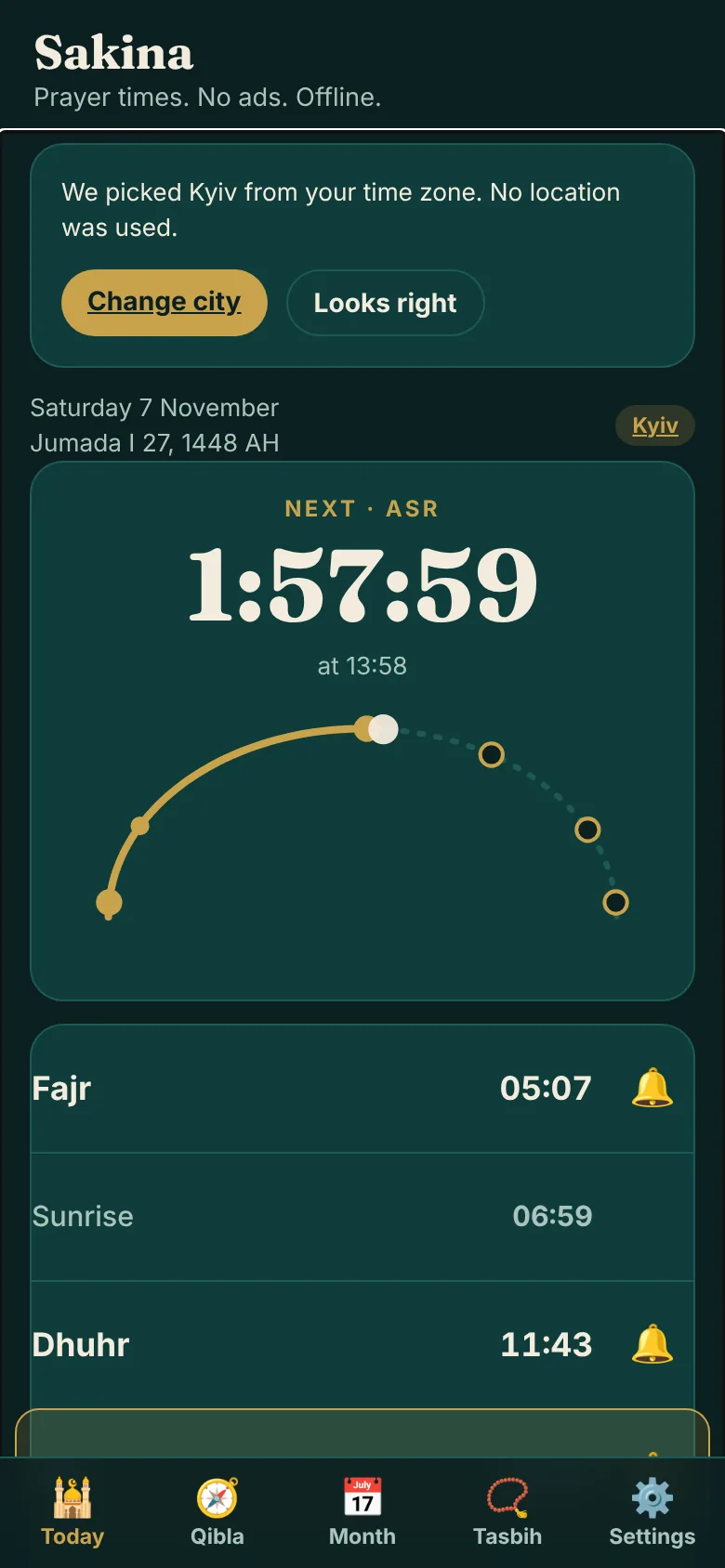
Five prayers and a live countdown
The next prayer with a countdown and an arc of the day. Fajr, Sunrise, Dhuhr, Asr, Maghrib and Isha for any of 115 built-in cities.
Qibla compass
Great-circle bearing and distance to the Kaaba. Use the device compass if you allow it, or set the heading by hand. Calibration advice included.
Monthly timetable and calendar export
A full month at a glance, plus an .ics file with an alarm on each prayer that you can import into any calendar.
12 methods, 2 Asr schools, high-latitude rules
Pick the method your community follows, adjust each prayer by minutes, and use the right rule for northern cities.
Tasbih counter
A large, calm counter with haptics and a target, saved on your device.
Privacy ledger
A measured list of the network requests the app made in this session. The number you want to see is zero third-party requests.
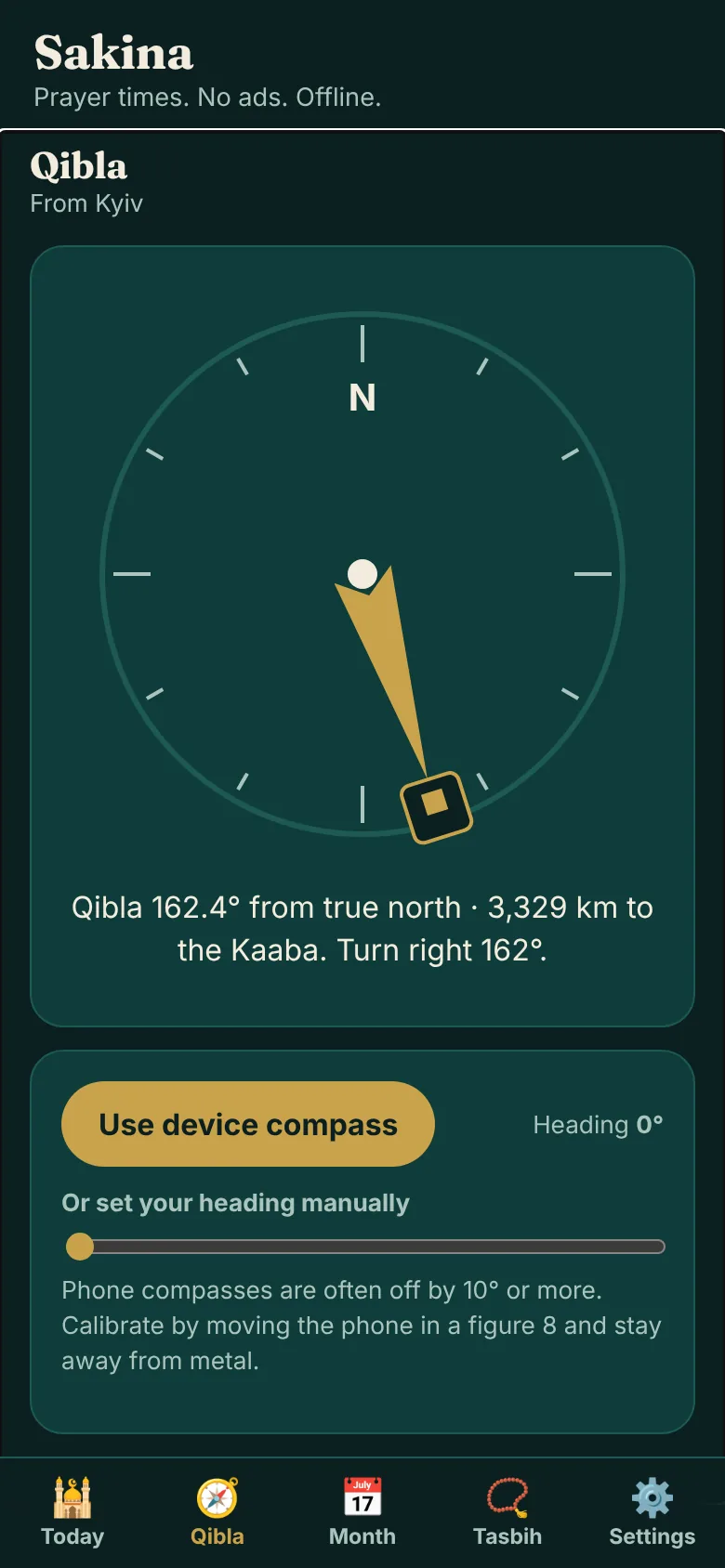
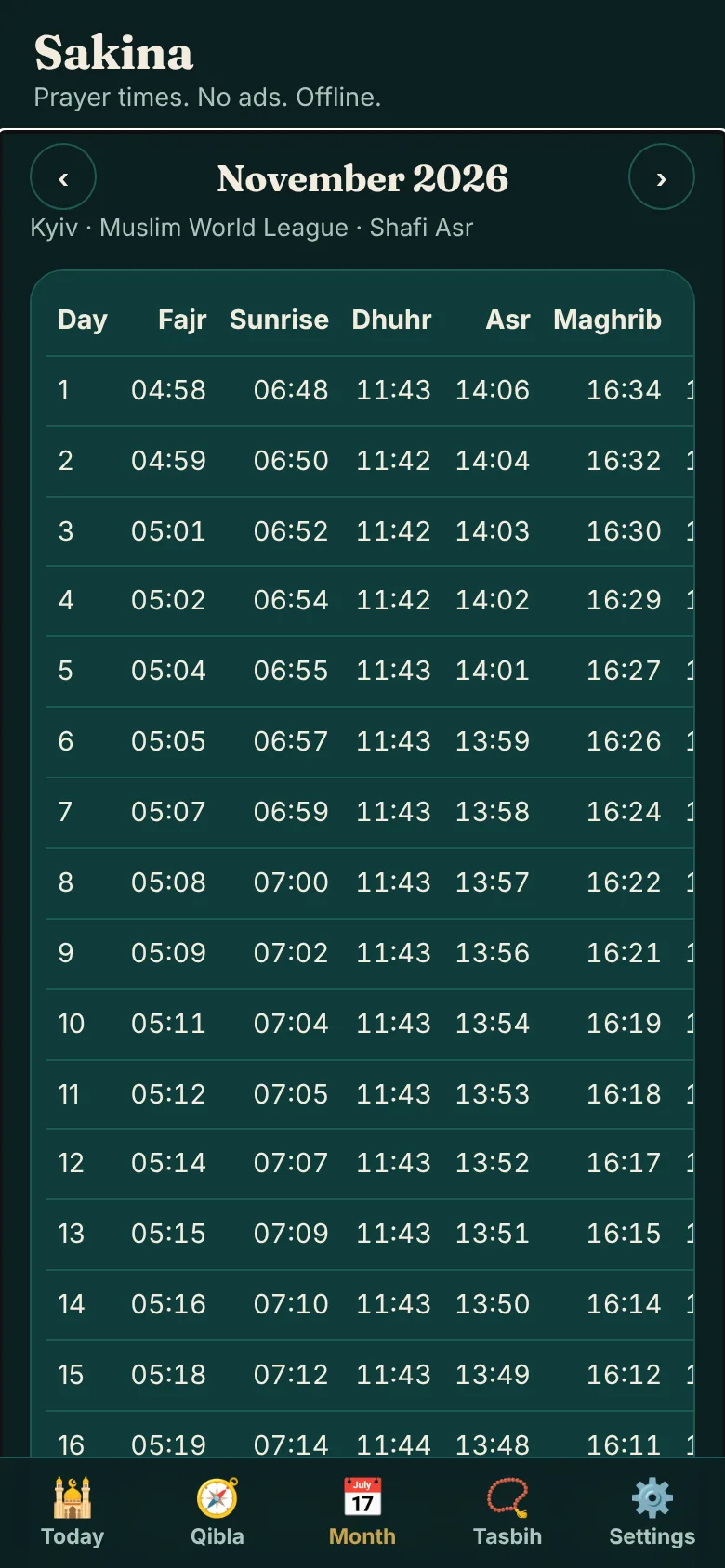
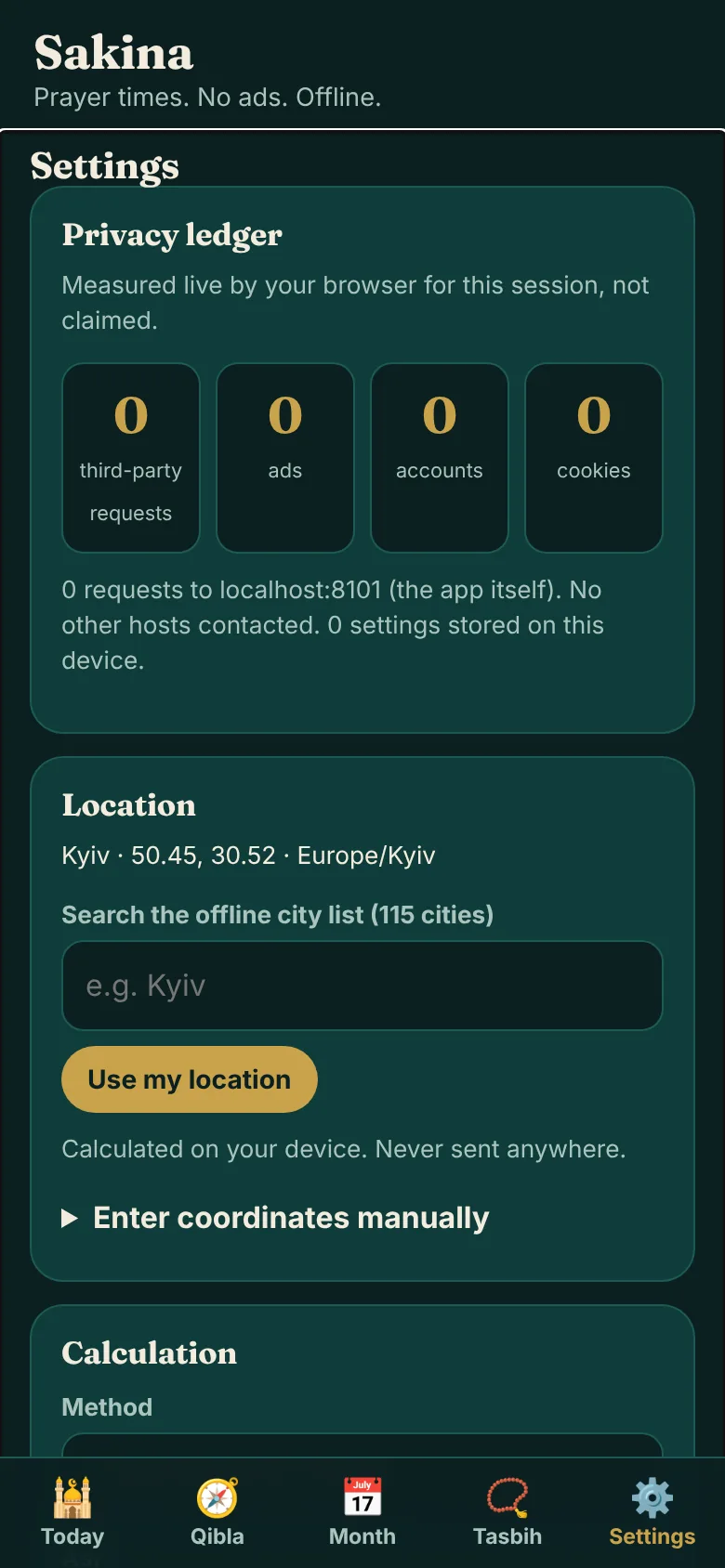
Screens are real screenshots of the web app, taken with sample data.
Install it in ten seconds
iPhone and iPad
Open this site in Safari, tap Share, then Add to Home Screen. It opens full screen and works offline.
Android
Open it in Chrome, tap the menu, then Install app (or Add to Home screen).
Computer
Just open the web app. In Chrome or Edge you can install it from the address bar.
1. Pick your city
Search 115 built-in cities or accept the guess from your time zone.
2. Choose your method
Select the calculation method and Asr school your community follows.
3. Add reminders
Turn on in-app reminders and export the timetable to your calendar if you like.
What you get today and what is still planned
The web app is a complete, working product. Native apps are planned for features a browser cannot do reliably. Dates are not promised.
| Capability | Web app today | Notes |
|---|---|---|
| Prayer times, Qibla, month view, tasbih | ✓ | All included in the web app. |
| Works offline | ✓ | After the first visit. |
| Reminders while the app is open | ✓ | Banner, chime and browser notification if you allow it. |
| Calendar export with alarms | ✓ | .ics file for any calendar app. |
| Background Fajr alarm that rings with the screen off | — | Needs a native app. Browsers cannot schedule exact background alarms reliably. |
| Home screen widget and Apple Watch | — | Planned for the native app. |
FAQ
Is Sakina free?
Yes. The web app is free to use, has no ads and no account. Nothing you enter is sent anywhere: your city, settings and tasbih count stay on your device.
How do you know my location?
You pick a city, or the app guesses one from your time zone, and says so. It never asks for GPS unless you press the button for it. The Qibla compass can use your device compass only after you allow it.
How are prayer times calculated?
On your device with the open-source Adhan library (MIT licence), using the calculation method and Asr school you choose. See the calculation methods pages for the exact angles of each method.
Will it wake me up for Fajr?
Not reliably in the web version. Reminders and the chime work while the app is open on your phone or computer, and you can export the day's times as a calendar file with alarms. A true background Fajr alarm needs a native app, which is planned.
Does it work offline?
Yes. After the first visit the app and its fonts are stored on your device. You can open it in airplane mode.
Can I verify the privacy claim?
Yes. Open Settings and look at the Privacy ledger. It lists the network requests the app made in this session, and it should say zero third-party requests. You can double-check in your browser's developer tools.
Which calculation methods are included?
Twelve: MWL, ISNA, Egyptian, Karachi, Umm al-Qura, Dubai, Moonsighting Committee, Kuwait, Qatar, Singapore, Tehran and Turkey (Diyanet), with Shafi or Hanafi Asr and high-latitude rules.
Want the native app too?
Native iOS and Android apps are planned. Leave your email and you will get one message when they are ready. Nothing else.
One email when the native app is ready. No spam. Delete yourself any time via the contact page.